|
導讀直接用iPhoneX截圖后是沒有圓角和劉海的,就像下面這樣。其實加圓角和劉海也很簡單第一步:截屏第二步:打開我這個軟件,并選取圖片庫中的那張圖第三步:添加圓角,劉海第四步:將做好的圖片保存到相冊還需... 直接用iPhoneX截圖后是沒有圓角和劉海的,就像下面這樣。
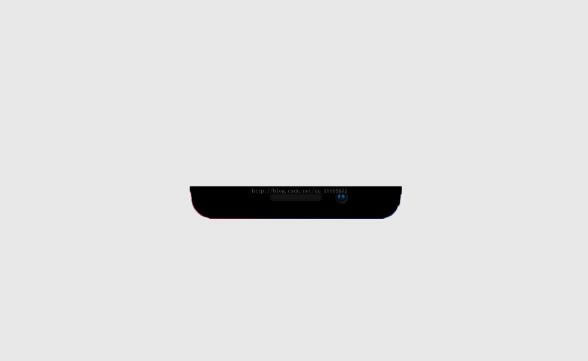
其實加圓角和劉海也很簡單 第一步:截屏 第二步:打開我這個軟件,并選取圖片庫中的那張圖 第三步:添加圓角,劉海 第四步:將做好的圖片保存到相冊 還需要下邊這張劉海的圖片
可以上代碼了(目前原圖是固定的,沒有從圖片庫選取)
//
// ViewController.m
// iPhoneXPhotoEdit
//
// Created by yfc on 2017/12/23.
// Copyright © 2017年 yfc. All rights reserved.
//
#import "ViewController.h"
#import <AssetsLibrary/AssetsLibrary.h>
#import <Photos/Photos.h>
@interface ViewController ()
@end
@implementation ViewController
- (void)viewDidLoad {
 [super viewDidLoad];

 UIButton *btn = [[UIButton alloc]init];
 btn.frame = CGRectMake(10, 44, 350, 758);
 btn.frame = CGRectMake(0, 0, 375, 812);
 [btn setBackgroundImage:[UIImage imageNamed:@"IMG_3655.PNG"] forState:UIControlStateNormal];
 //添加圓角
 btn.layer.cornerRadius = 35 ;
 btn.layer.borderColor = [UIColor blackColor].CGColor;
 btn.layer.borderWidth = 2;
 [self.view addSubview:btn];
 btn.backgroundColor = [UIColor whiteColor];
 btn.clipsToBounds = YES;


 //添加劉海
 UIImageView *imageView = [[UIImageView alloc]initWithImage:[UIImage imageNamed:@"liuhai.png"]];
 imageView.frame = CGRectMake(70, 0, 222, 28);
 [btn addSubview:imageView];

 self.view.backgroundColor = [UIColor clearColor];

 //截圖保存到相冊
 dispatch_after(dispatch_time(DISPATCH_TIME_NOW, (int64_t)(1 * NSEC_PER_SEC)), dispatch_get_main_queue(), ^{
  [self saveBtnAction:nil];
 });

}
-(void)saveBtnAction:(UIButton *)sender{
 [self requestAuthorizationStatus];
}
//查看權限
- (void)requestAuthorizationStatus
{
 [PHPhotoLibrary requestAuthorization:^(PHAuthorizationStatus status){
  dispatch_async(dispatch_get_main_queue(), ^{
   switch (status) {
    case PHAuthorizationStatusAuthorized:
    {
     [self cutScreen];
     break;
    }
    default://Denied
    {
     break;
    }
   }
  });
 }];
}
//截屏
-(void)cutScreen{
 UIGraphicsBeginImageContextWithOptions(self.view.bounds.size, YES, 0.0);
 //2.獲取當前圖形上下文
 CGContextRef ctx = UIGraphicsGetCurrentContext();
 //3.獲取需要截取的view的layer
 [self.view.layer renderInContext:ctx];
 //4.從當前上下文獲取圖片
 UIImage *image = UIGraphicsGetImageFromCurrentImageContext();
 //5.關閉圖形上下文
 UIGraphicsEndImageContext();
 //6.把圖片保存到相冊
 UIImageWriteToSavedPhotosAlbum(image, self, @selector(image:didFinishSavingWithError:contextInfo:), NULL);
}
//保存成功后回調
-(void)image:(UIImage *)image didFinishSavingWithError:(NSError *)error contextInfo:(void *)contextInfo{
 NSString *msg = nil;
 if (error) {
  msg = @"圖片保存失敗";
 }else{
  msg = @"圖片保存成功";
 }
 UIAlertView *alertView = [[UIAlertView alloc] initWithTitle:@"提示" message:msg delegate:self cancelButtonTitle:@"確定" otherButtonTitles:nil, nil];
 [alertView show];
}
@end
效果圖是
以上這篇詳談iPhoneX截圖如何帶"劉海"和圓角就是小編分享給大家的全部內容了,希望能給大家一個參考,也希望大家多多支持本站。 |
溫馨提示:喜歡本站的話,請收藏一下本站!
本站發布的Win7純凈版系統、Win10純凈版和XP純凈版系統僅為個人學習測試使用,請在下載后24小時內刪除,不得用于任何商業用途,否則后果自負,請支持購買微軟正版軟件!
本站所有資源全部來自于網絡資源,如侵犯到您的權益,請及時通知我們(peng896066052@126.com),我們會及時處理.
Copyright © 2018-2020 雨林木風下載站